
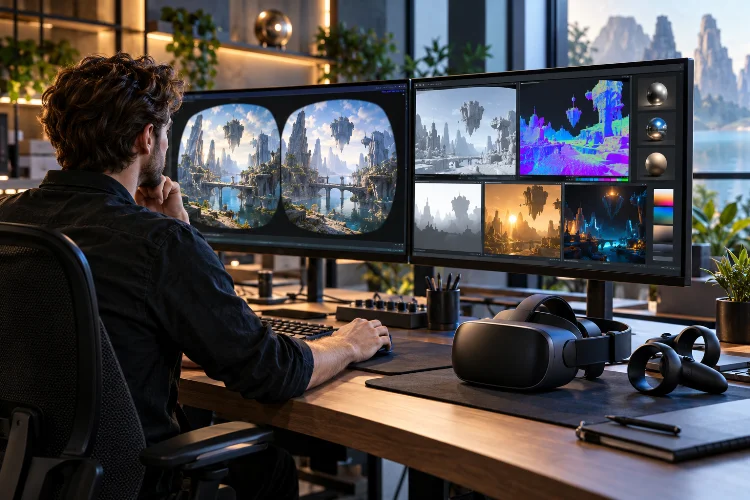
Modern VR headsets are pushing more pixels, wider fields of view, higher refresh rates, and increasingly complex virtual environments. That sounds great for immersion, but it creates a brutal rendering problem for developers.
Unlike a traditional monitor, a VR headset generally needs separate views for both eyes while maintaining extremely stable frame timing.
A beautiful scene becomes much less impressive when inconsistent rendering makes head movement feel disconnected from the virtual world.
That is why advanced VR rendering strategies for high-performance headsets focus less on maximizing every visual setting and more on spending GPU and CPU resources intelligently.
Modern engines and XR platforms now use techniques such as multiview rendering, variable rate shading, eye-tracked foveated rendering, dynamic render scale, compositor layers, reprojection, and frame synthesis.
Unreal Engine, for example, includes XR-specific optimizations because immersive rendering creates unusually demanding performance requirements.
The goal is simple: put the highest visual quality where players notice it most while protecting the stable frame rate that comfortable VR requires.
1. Start With a Strict VR Frame Budget
Every headset refresh rate creates a fixed amount of time for producing the next frame.
At 90 Hz, the system has roughly 11.1 milliseconds between refreshes. At 120 Hz, that falls to about 8.3 milliseconds.
That budget needs to cover gameplay simulation, rendering preparation, GPU processing, and other tasks before the frame reaches the compositor.
This is why VR optimization begins with profiling rather than visual ambition.
Unreal Engine provides dedicated XR profiling tools for examining CPU and GPU performance because missed timing targets can affect both smoothness and comfort.
Developers should also leave headroom.
A scene that uses nearly 100% of its frame budget while standing still may collapse when particles, enemies, dynamic lights, or physics suddenly appear.
Good VR perfomance is therefore about surviving demanding moments, not just passing benchmarks in quiet scenes.
2. Render Both Eyes More Efficiently With Multiview
Traditional stereo rendering can create considerable CPU overhead.
Without optimization, the engine may submit much of the same geometry separately for the left and right eye.
Multiview rendering reduces that duplication.
Meta’s current Multi-View implementation for Quest allows objects to be rendered once and then used for both eye buffers with the necessary view-dependent adjustments.
Meta specifically recommends it for CPU-bound applications and notes that it can substantially reduce CPU overhead.
Unreal Engine offers similar options through Instanced Stereo on supported desktop platforms and Mobile Multi-View for compatible mobile XR hardware.
This does not mean the two eyes receive identical images.
Each eye still needs a slightly different viewpoint to create stereoscopic depth.
The optimization is about avoiding unnecessary duplication in the work used to generate those views.
For complex scenes containing thousands of objects, reducing repeated draw submission can free meaningful CPU time.
3. Use Foveated Rendering to Spend Pixels Where They Matter
The human eye does not perceive maximum detail equally across the entire visual field.
Fine detail is strongest near the center of gaze, while peripheral vision is less sensitive to high spatial detail.
VR rendering can exploit this.
Fixed Foveated Rendering reduces shading or pixel density toward the outer edges of the image while keeping the central region sharper.
Meta says FFR can improve frame rate in GPU fill-limited applications, reduce power consumption, and create room for higher eye-buffer resolution.
The approach is especially valuable on standalone headsets where GPU resources and thermal limits are tighter than on high-end desktop systems.
The trade-off is image quality.
Push fixed foveation too aggressively and players may notice lower-quality peripheral regions, especially when moving their eyes without turning their head.
That leads to a more advanced solution.
4. Eye-Tracked Foveated Rendering Follows the Player’s Gaze
Eye-tracked foveated rendering takes the same principle and makes it dynamic.
Instead of assuming the player always looks toward the center of the display, the headset tracks gaze direction and moves the high-resolution region accordingly.
Meta’s 2026 documentation describes Eye Tracked Foveated Rendering as keeping full resolution around the user’s gaze while lowering pixel density in peripheral areas.
Because the low-resolution region stays outside the user’s central vision, more aggressive foveation can be used than with a fixed pattern.
This creates an elegant optimization.
Developers can reduce GPU workload without reducing the perceived sharpness of the area receiving the player’s attention.
NVIDIA’s Variable Rate Shading technology supports a similar principle by allowing shading rates to vary across different regions of a frame and can integrate eye tracking for foveated rendering.
The difficult part is latency.
Eye tracking, gaze estimation, and shading-rate updates need to happen quickly enough that the sharp region follows natural eye movement without becoming distracting.
5. Variable Rate Shading Reduces Unnecessary Pixel Work
Foveated rendering is one use of a broader rendering technique called Variable Rate Shading, or VRS.
Normally, one pixel-shader invocation may calculate the appearance of one output pixel.
With VRS, developers can lower shading frequency in selected regions.
Unreal Engine supports several rates, including patterns where one shader result can cover a group of pixels rather than shading every pixel individually.
NVIDIA describes the same idea as allowing different regions of an image to use different shading densities, preserving full quality around visually important content while reducing work elsewhere.
This makes VRS useful beyond pure gaze tracking.
Less important sky regions, peripheral areas, or visually simple surfaces may not require the same shading density as detailed interactive objects.
The best implementations save GPU work without making the optimization obvious.
If players notice the technique, it has probably been pushed too far.
6. Adjust Render Scale Instead of Dropping Frames
Rendering resolution is one of the strongest levers available to VR developers.
Higher render scale produces sharper imagery but increases GPU load. Lower scale reduces the number of pixels the GPU needs to process.
Meta’s current documentation describes render scale as a direct trade-off between visual quality and GPU performance.
On Quest hardware, the application render resolution can be adjusted relative to a device-specific default rather than always matching the headset’s physical panel resolution.
This creates a useful strategy for demanding scenes.
Instead of allowing frame rate to collapse, an application can reduce rendering resolution and preserve timing stability.
Dynamic systems can take the idea further by adjusting quality according to available GPU headroom.
That consistancy is often more important in VR than maintaining the sharpest possible image during every second of gameplay.
A slightly softer frame is usually less disruptive than a sudden timing failure.
7. Let the Compositor Handle Late Corrections
The application renderer is not the final stage before the image reaches the player’s eyes.
Modern VR systems include a compositor.
Meta’s compositor applies lens distortion correction, combines application and system layers, and uses late head-pose information to reduce perceived latency through time warp.
This matters because the player’s head continues moving after the game finishes rendering.
If the system displayed the original frame exactly as rendered, its perspective could already be slightly outdated.
Time warp adjusts the completed frame using a more recent head-orientation estimate before presentation.
The compositor can also handle interface elements in separate layers.
This is useful for text or HUD elements because they can sometimes remain sharper than content placed directly inside the main 3D renderng buffer.
Rendering strategy therefore extends beyond what the game engine draws.
Developers also need to think about how content is handed to the XR runtime.
8. Frame Synthesis Can Create More Rendering Headroom
Sometimes optimization is not enough to render the full scene at the headset’s target display rate.
Frame synthesis provides another option.
Meta’s Application SpaceWarp allows an application to render at half rate while supplying motion vectors and depth information. The compositor uses those buffers to synthesize intermediate frames.
For example, an application can render its 3D environment at 36 FPS while the system presents a 72 FPS output. Meta says its initial testing produced up to 70% additional compute budget in some applications.
That extra budget can support more complex geometry, effects, simulation, or lighting.
But there are trade-offs.
Fast-moving objects, transparency, disocclusion, or inaccurate motion vectors can create artifacts. Meta’s development samples specifically highlight issues such as ghosting, transparent-material problems, and disocclusion shimmer.
Frame synthesis is therefore not a free-performance switch.
It needs to be designed into the rendering pipeline carefully.
9. Choose the Right Rendering Path
Advanced VR optimization often means choosing different rendering techniques from a conventional desktop game.
Epic recommends Forward Shading, MSAA, Instanced Stereo, and Mobile Multi-View in appropriate XR projects because these options can create a better performance baseline for VR.
Forward rendering can be attractive because its rendering path may be simpler and faster for certain XR workloads.
Deferred rendering offers greater flexibility for complex lighting and effects, but some of that flexibility comes with additional costs.
There is no universal answer.
A PC VR simulator with a powerful GPU can make very different choices from a standalone headset running on a mobile-class processor.
The correct strategy depends on whether the application is CPU-bound, GPU-bound, fill-rate limited, memory constrained, or limited by thermal and power budgets.
Good VR optimization is about matching the rendering architecture to the hardware rather than forcing every headset through the same pipeline.
10. Profile Every Optimization on Real Hardware
VR rendering technologies sound impressive in documentation, but their actual benefit depends on the workload.
Foveated rendering helps most when pixel shading is expensive.
Multiview is particularly valuable when CPU-side stereo submission creates a bottleneck.
Lower render scale helps GPU-bound scenes but cannot solve a CPU limitation.
SpaceWarp can create substantial compute headroom but requires accurate motion vectors and additional buffers.
That is why developers need to test features seperately and together.
Profile the CPU.
Profile the GPU.
Measure frame timing on the headset rather than relying only on desktop previews.
Then test worst-case gameplay scenes instead of empty environments.
The goal is not enabling the largest number of advanced technologies.
It is building a rendering pipeline where every technique solves an actual measured problem.
Advanced VR rendering is fundamentally about using limited computing resources where players will notice them most.
Multiview reduces duplicated stereo work, foveated rendering lowers unnecessary peripheral detail, VRS controls shading density, render scaling protects frame budgets, and compositor technologies reduce the visual consequences of latency.
Frame synthesis can create additional compute headroom when implemented carefully.
For developers building high-performance VR experiences, the smartest next step is not immediately lowering every graphics setting.
Profile the headset under realistic gameplay conditions first.
Find whether the limitation comes from CPU submission, pixel shading, resolution, frame timing, or another stage. Then apply the optimization that directly addresses that bottleneck.
The best VR rendering strategy is ultimately the one players never notice – because the virtual world simply stays sharp, smooth, and responsive.

